GREAT IDEAS SCREENS // A Gallery Resource
GREAT IDEAS SCREENS // A Gallery Resource
GREAT IDEAS SCREENS // A Gallery Resource
UX Professional practicum // fall 2025
UX Professional practicum // fall 2025
Professor Rushing Haise
Daniel Constantin
Cadence Kempf
Emma Lucas
Makenna Lyles
Shae Schouest
Amelie Seemann
Daniel Wong
Professor Rushing Haise
Daniel Constantin
Cadence Kempf
Emma Lucas
Makenna Lyles
Shae Schouest
Amelie Seemann
Daniel Wong
Figma
Figma
Figma
PROBLEM & TASK
PROBLEM & TASK
PROBLEM & TASK
Our client, Professor Benjamin Benus of Loyola University New Orleans came to us with an inquiry. Could we take an amount of works with their respective information and incorporate them into a digital, accessible gallery resource.
Our client, Professor Benjamin Benus of Loyola University New Orleans came to us with an inquiry. Could we take an amount of works with their respective information and incorporate them into a digital, accessible gallery resource.
Our client, Professor Benjamin Benus of Loyola University New Orleans came to us with an inquiry. Could we take an amount of works with their respective information and incorporate them into a digital, accessible gallery resource.
THE IDEA
THE IDEA
THE IDEA
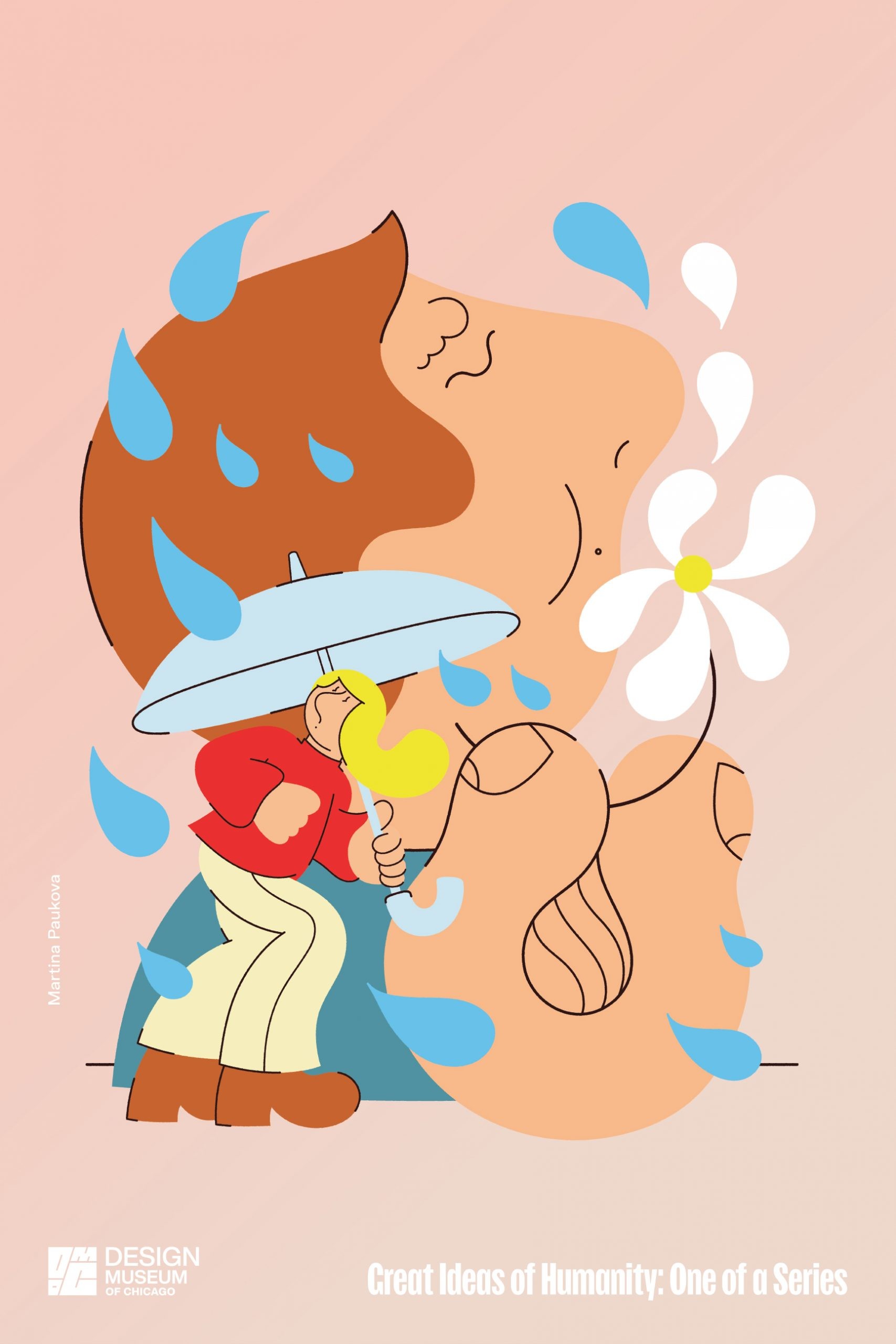
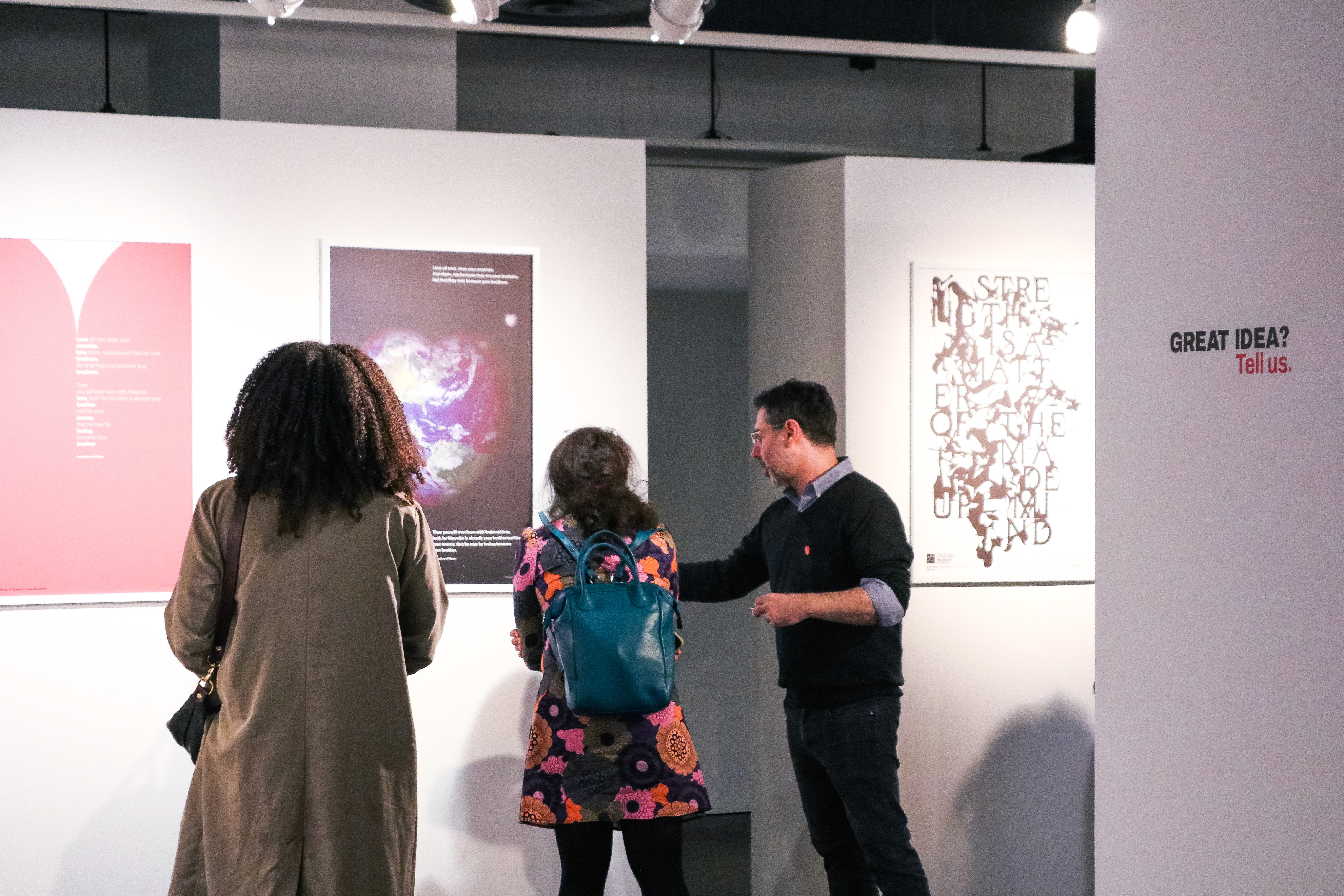
To create a digital, accessible experience for the Great Ideas poster show coming to Loyola University New Orleans from the Design Museum of Chicago.
To create a digital, accessible experience for the Great Ideas poster show coming to Loyola University New Orleans from the Design Museum of Chicago.
To create a digital, accessible experience for the Great Ideas poster show coming to Loyola University New Orleans from the Design Museum of Chicago.
CONCEPTS & ITERATIONS/LAYOUT
CONCEPTS & ITERATIONS/LAYOUT
CONCEPTS & ITERATIONS/LAYOUT
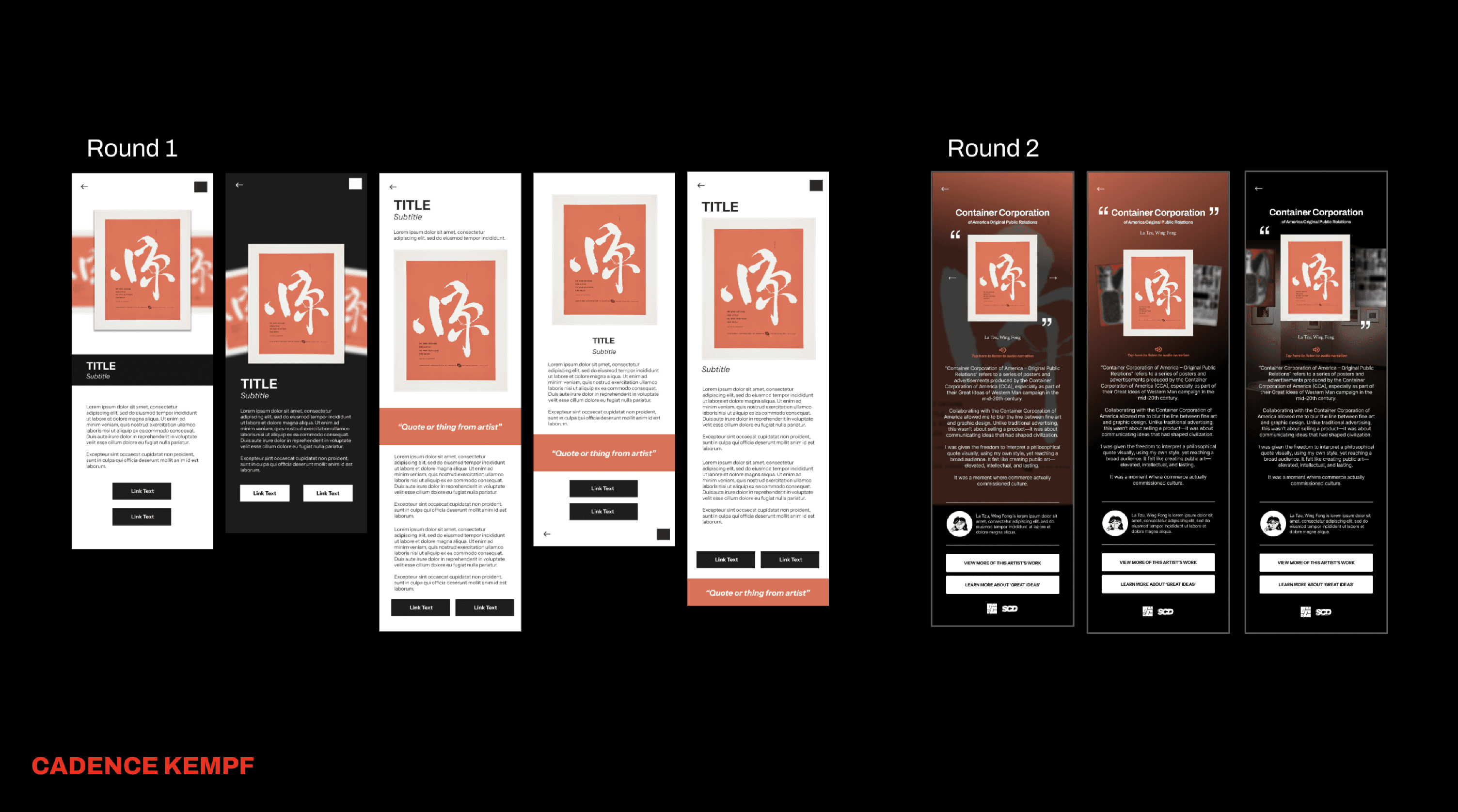
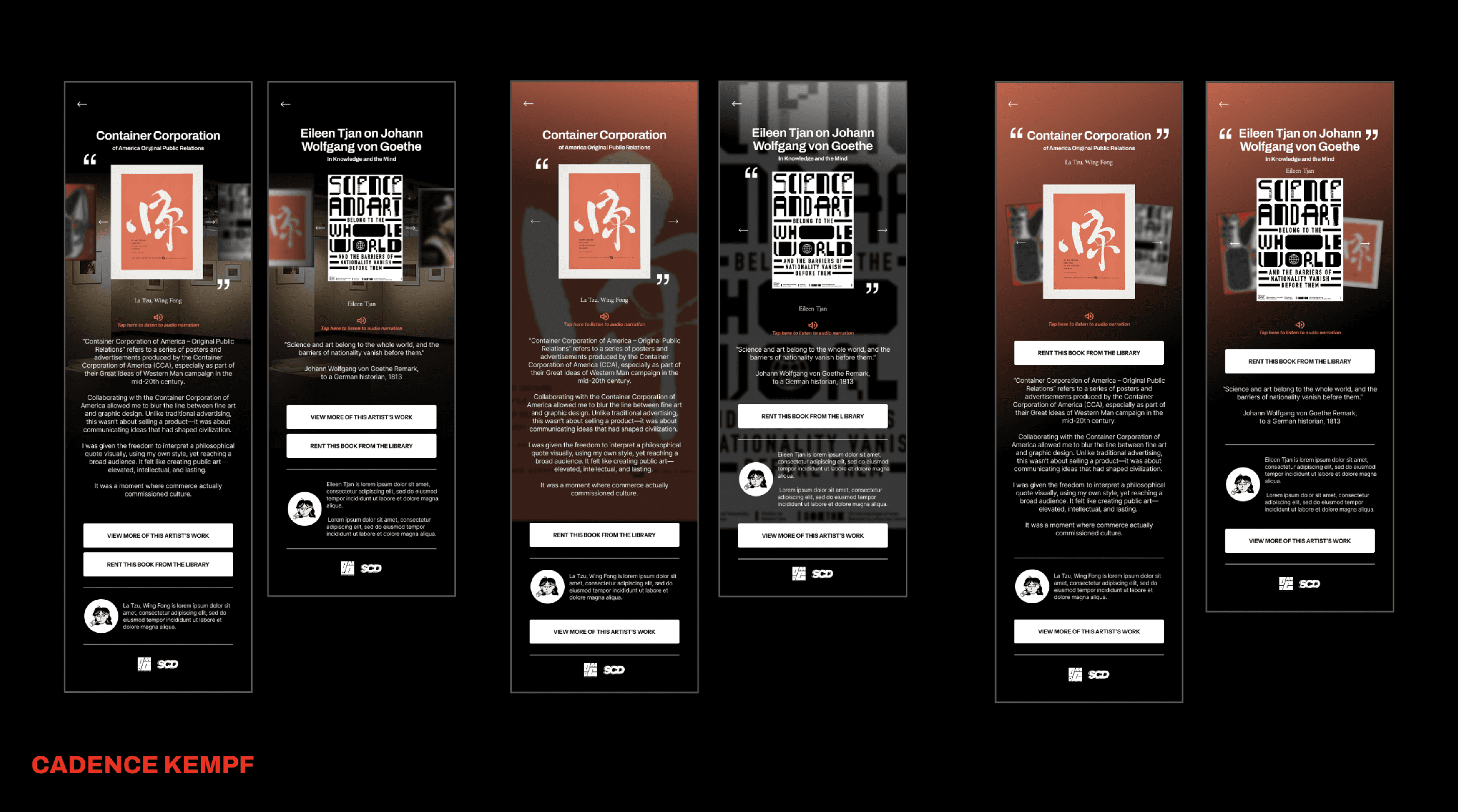
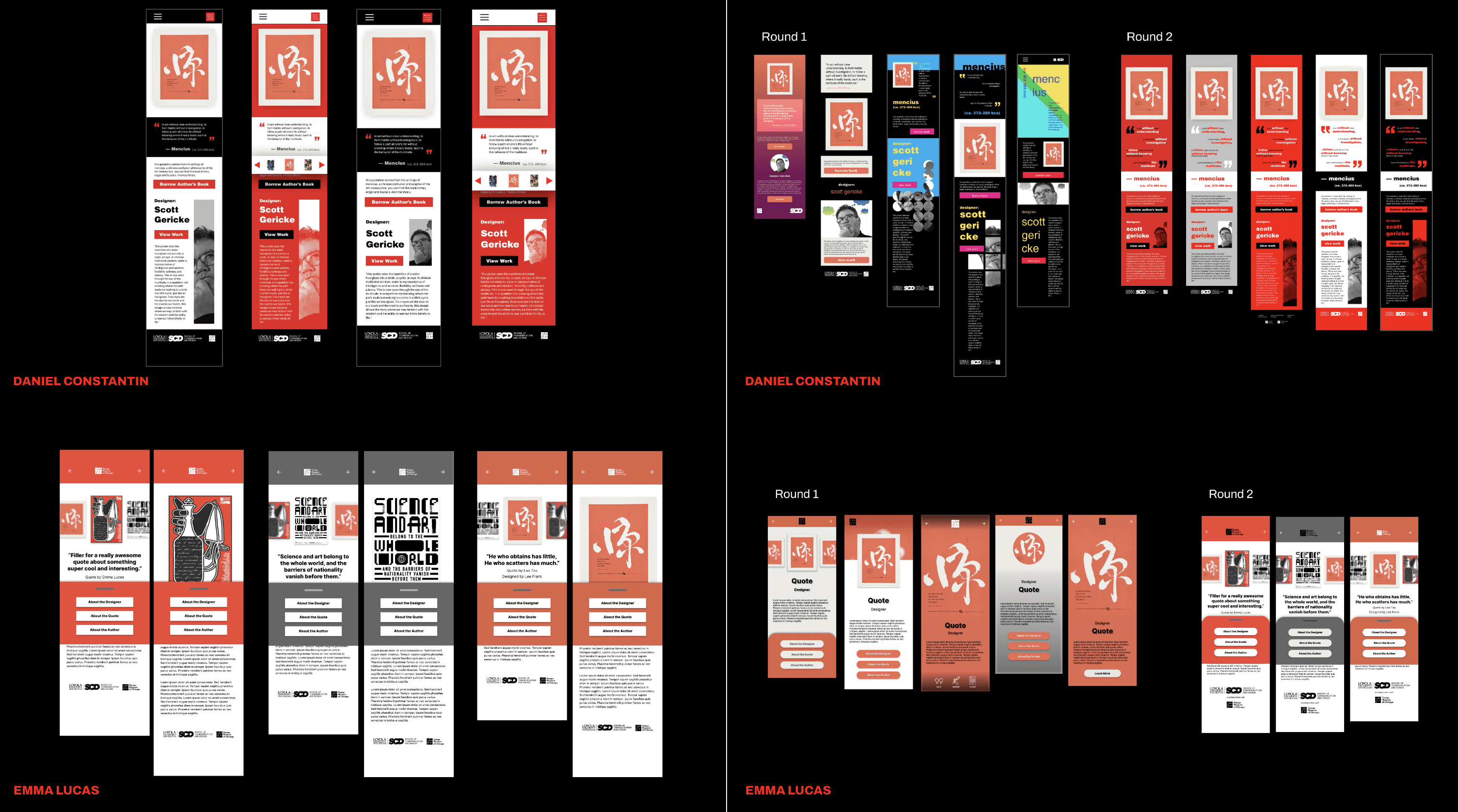
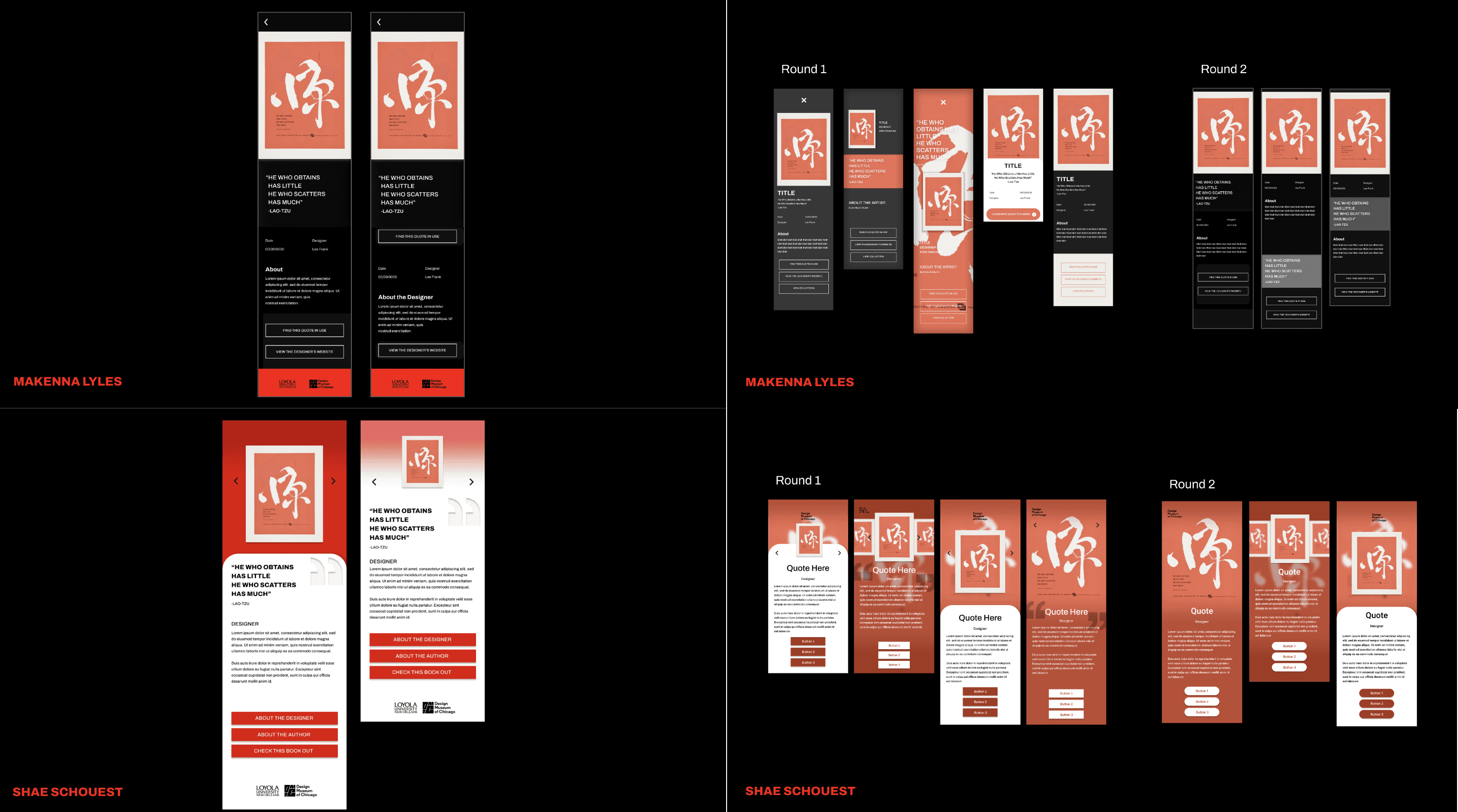
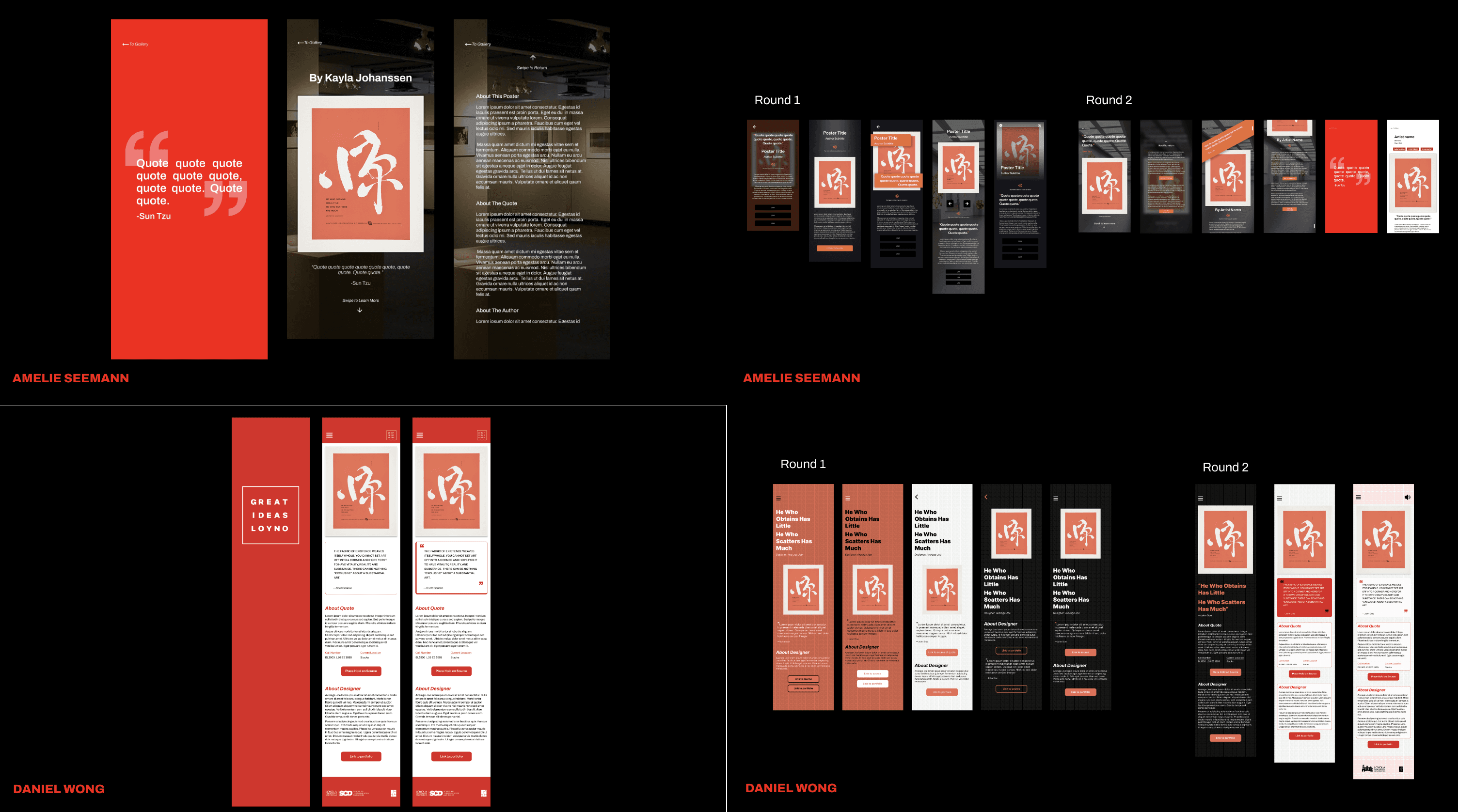
Through multiple iterations, we explored different ideas and features, refining the overall look and structure. Each student highlighted a key feature: Daniel C focused on typography and Swiss design, Cadence experimented with a gallery and swipe feature, Emma introduced a drawer for button access, Makenna worked on a glass effect, Shae explored parallax scrolling, Amelie integrated audio and photo backgrounds, and Daniel Wong focused on the library connection element and quote layout.
Each iteration brought valuable insights into user interaction and design.
Through multiple iterations, we explored different ideas and features, refining the overall look and structure. Each student highlighted a key feature: Daniel C focused on typography and Swiss design, Cadence experimented with a gallery and swipe feature, Emma introduced a drawer for button access, Makenna worked on a glass effect, Shae explored parallax scrolling, Amelie integrated audio and photo backgrounds, and Daniel Wong focused on the library connection element and quote layout.
Each iteration brought valuable insights into user interaction and design.
Through multiple iterations, we explored different ideas and features, refining the overall look and structure. Each student highlighted a key feature: Daniel C focused on typography and Swiss design, Cadence experimented with a gallery and swipe feature, Emma introduced a drawer for button access, Makenna worked on a glass effect, Shae explored parallax scrolling, Amelie integrated audio and photo backgrounds, and Daniel Wong focused on the library connection element and quote layout.
Each iteration brought valuable insights into user interaction and design.
USABILITY TESTING & CLIENT MEETING
USABILITY TESTING & CLIENT MEETING
USABILITY TESTING & CLIENT MEETING
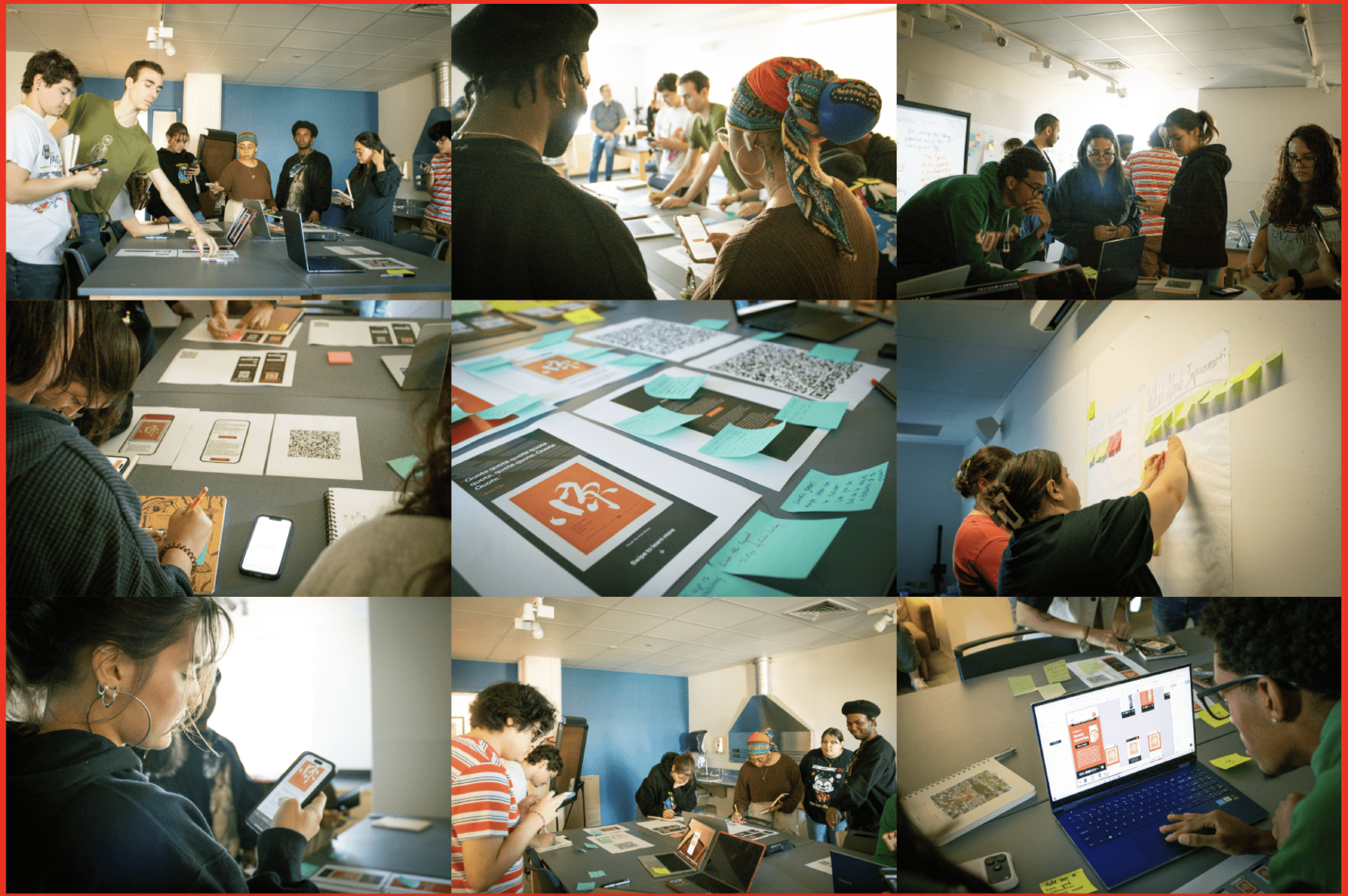
Our usability testing and feedback were essential in helping us refine our ideas and stay aligned with our core goal: “to transform abstract ideas into interactive, visual experiences.” By testing with the senior graphic design students we invited, we were able to observe real user interactions, identify what resonated, and understand where users struggled.
This process was crucial for narrowing down our choices, ensuring that the features we moved forward with were not only creative but also intuitive and effective.
Our usability testing and feedback were essential in helping us refine our ideas and stay aligned with our core goal: “to transform abstract ideas into interactive, visual experiences.” By testing with the senior graphic design students we invited, we were able to observe real user interactions, identify what resonated, and understand where users struggled.
This process was crucial for narrowing down our choices, ensuring that the features we moved forward with were not only creative but also intuitive and effective.
Our usability testing and feedback were essential in helping us refine our ideas and stay aligned with our core goal: “to transform abstract ideas into interactive, visual experiences.” By testing with the senior graphic design students we invited, we were able to observe real user interactions, identify what resonated, and understand where users struggled.
This process was crucial for narrowing down our choices, ensuring that the features we moved forward with were not only creative but also intuitive and effective.
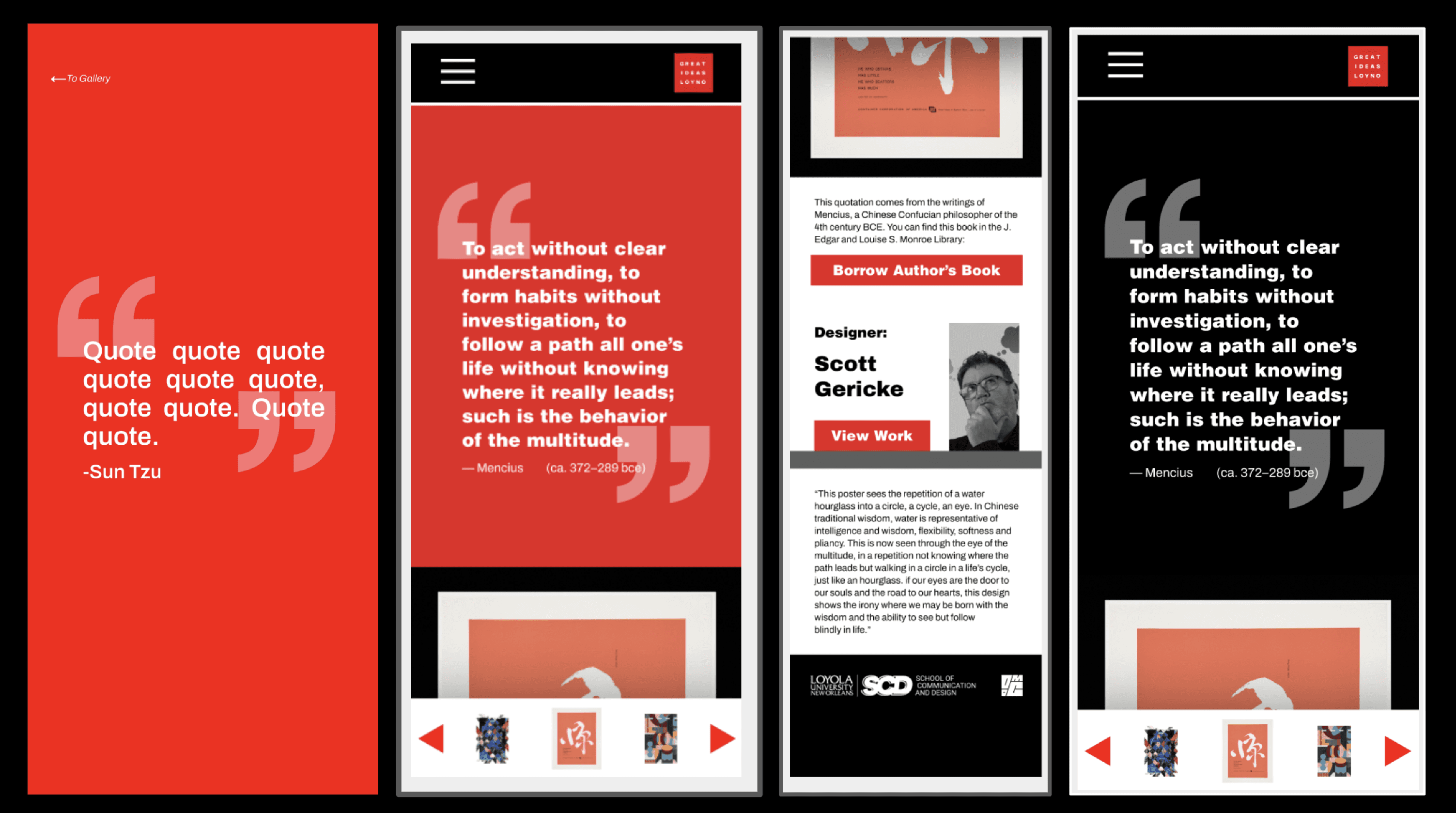
After reviewing feedback from the senior design students and narrowing our concepts to three screens, we met with our client, Professor Benjamin Benus. His key critiques focused on simplifying the layout, adding clear navigation (including image arrows and a “Borrow the Book” button), maintaining consistent branding, and emphasizing both the Loyola–Chicago Museum collaboration and the importance of the quotes. From this, we decided to move forward with one standardized screen, refining it to highlight the quotes and strengthen overall clarity and brand consistency.
After reviewing feedback from the senior design students and narrowing our concepts to three screens, we met with our client, Professor Benjamin Benus. His key critiques focused on simplifying the layout, adding clear navigation (including image arrows and a “Borrow the Book” button), maintaining consistent branding, and emphasizing both the Loyola–Chicago Museum collaboration and the importance of the quotes. From this, we decided to move forward with one standardized screen, refining it to highlight the quotes and strengthen overall clarity and brand consistency.
After reviewing feedback from the senior design students and narrowing our concepts to three screens, we met with our client, Professor Benjamin Benus. His key critiques focused on simplifying the layout, adding clear navigation (including image arrows and a “Borrow the Book” button), maintaining consistent branding, and emphasizing both the Loyola–Chicago Museum collaboration and the importance of the quotes. From this, we decided to move forward with one standardized screen, refining it to highlight the quotes and strengthen overall clarity and brand consistency.
OUR BIG 3 AREAS FOR IMPROVEMENT
OUR BIG 3 AREAS FOR IMPROVEMENT
OUR BIG 3 AREAS FOR IMPROVEMENT

THE BIG STANDOUTS
THE BIG STANDOUTS
THE BIG STANDOUTS
LAYOUT + USER FLOOR
LAYOUT + USER FLOOR
LAYOUT + USER FLOOR
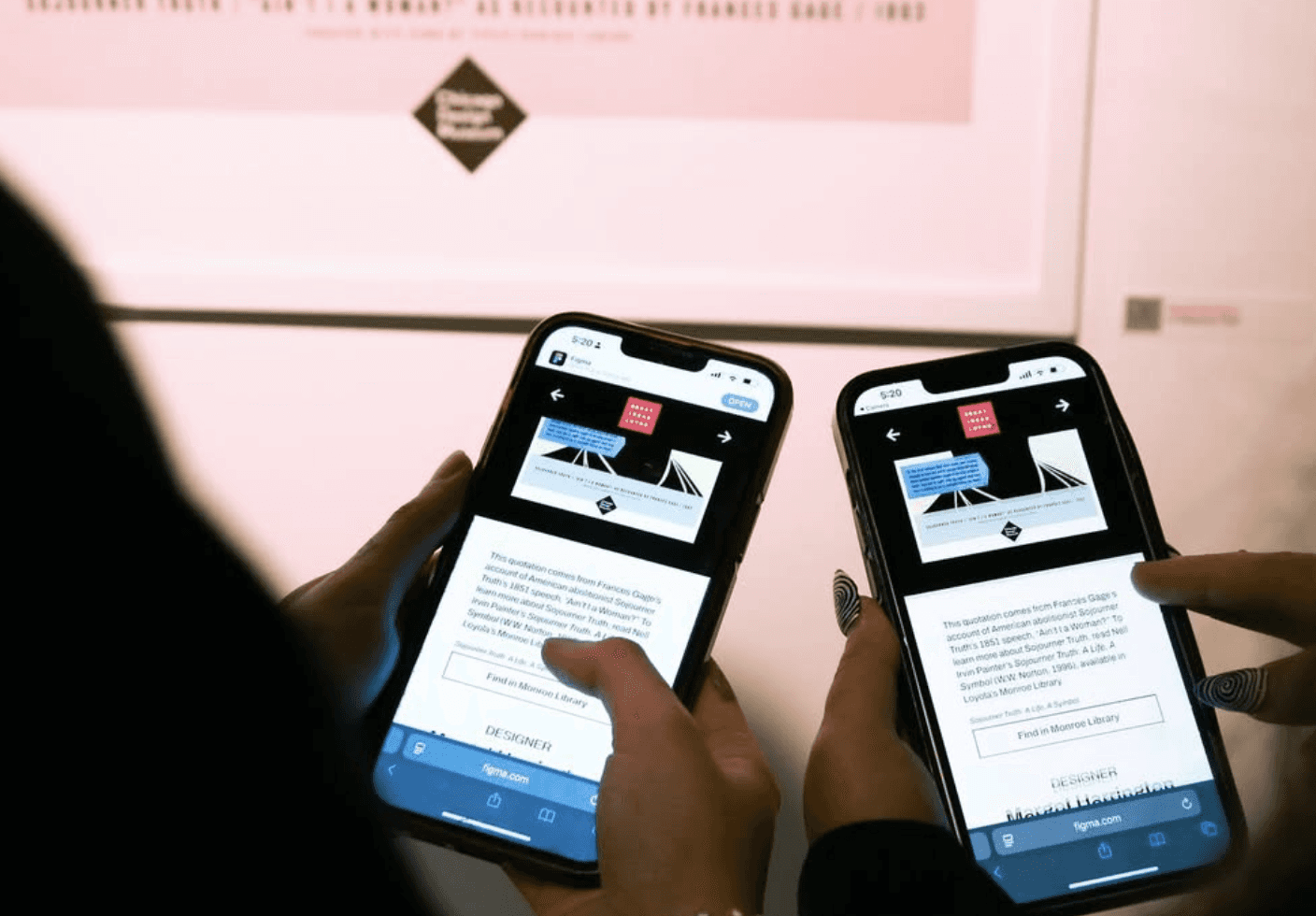
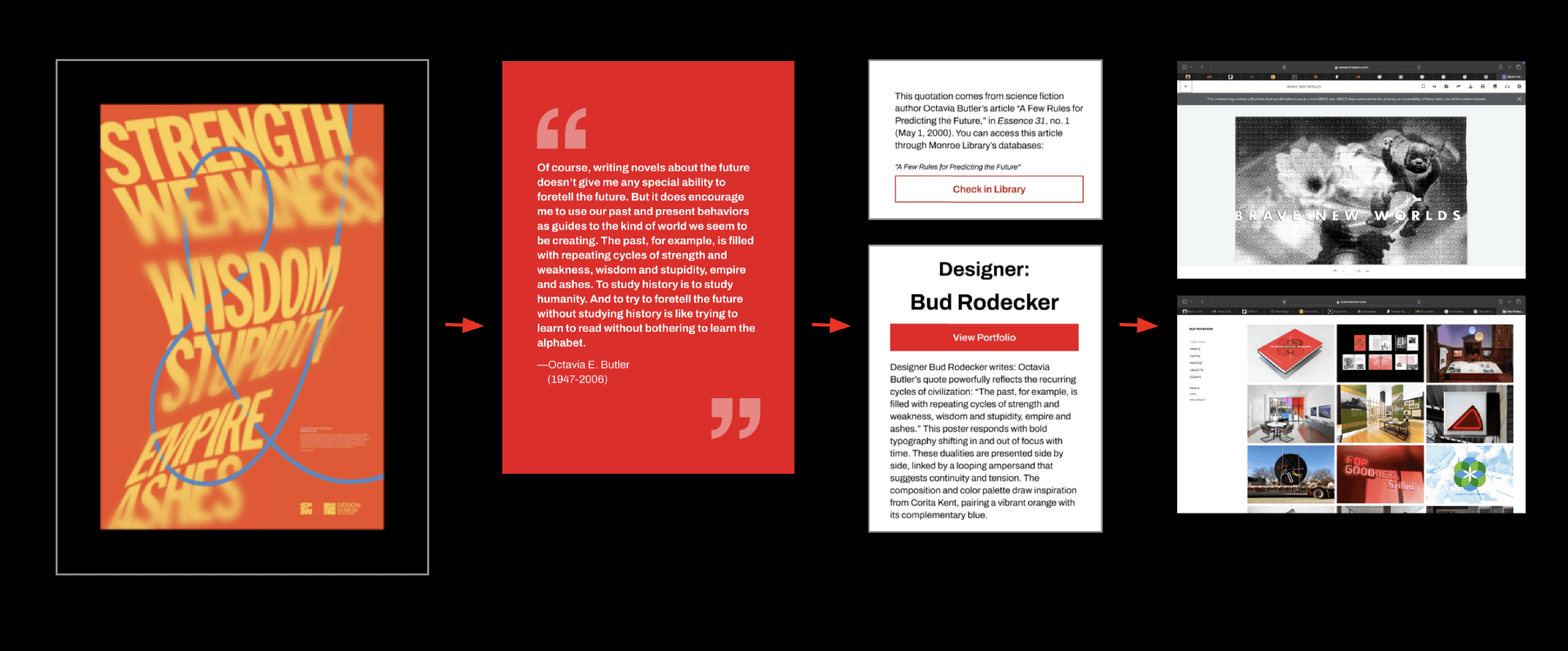
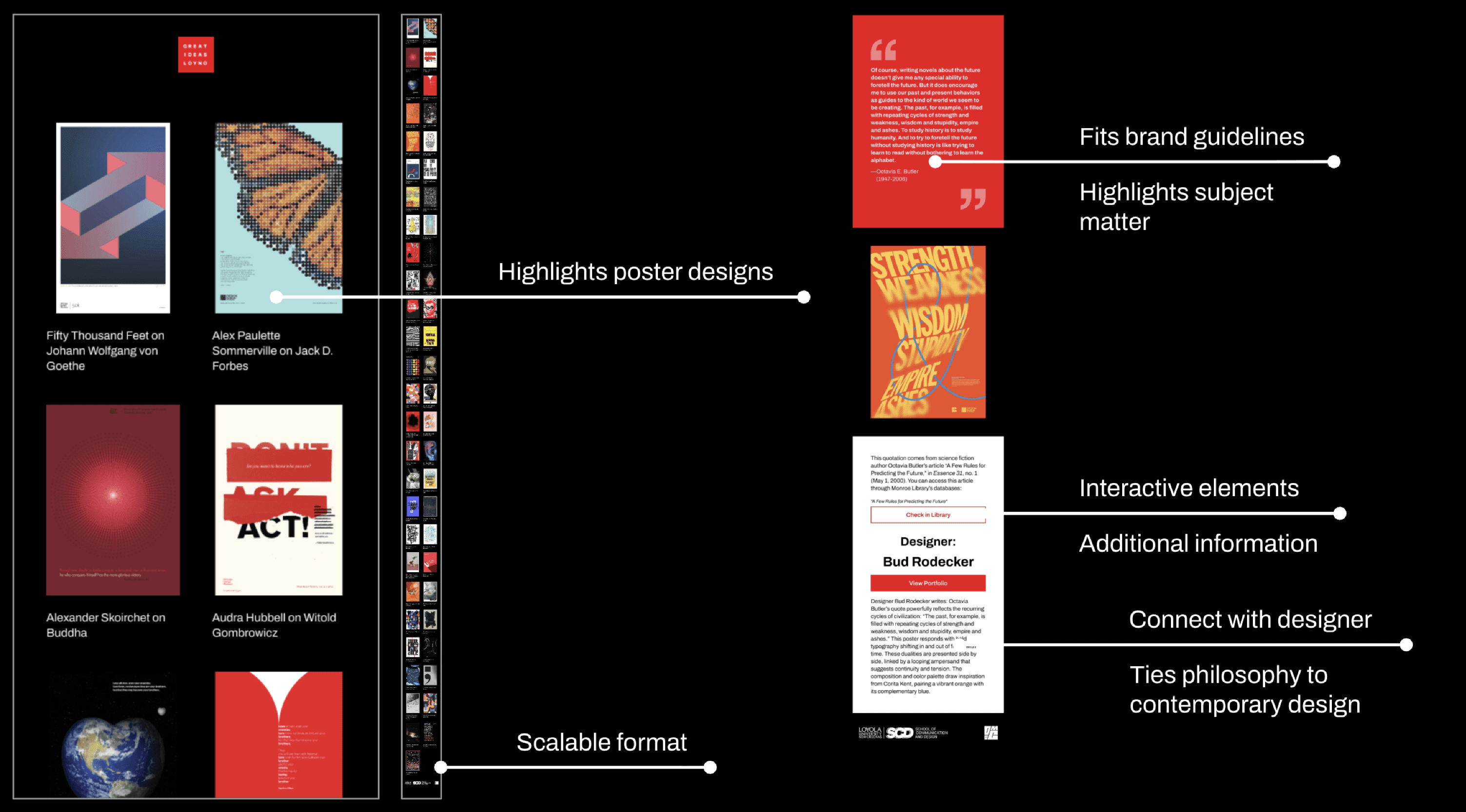
One of our key design decisions was structuring the content as poster → quote → book → designer, creating a natural, inviting progression.
Large thumbnails let users focus on visuals and text without distraction, and as they scroll, contextual details—like the book’s library location or links to the designer’s work—appear organically.
The clean layout, limited color palette, and Archivo typeface maintain consistency with the exhibit and Design Museum of Chicago branding.
One of our key design decisions was structuring the content as poster → quote → book → designer, creating a natural, inviting progression.
Large thumbnails let users focus on visuals and text without distraction, and as they scroll, contextual details—like the book’s library location or links to the designer’s work—appear organically.
The clean layout, limited color palette, and Archivo typeface maintain consistency with the exhibit and Design Museum of Chicago branding.
One of our key design decisions was structuring the content as poster → quote → book → designer, creating a natural, inviting progression.
Large thumbnails let users focus on visuals and text without distraction, and as they scroll, contextual details—like the book’s library location or links to the designer’s work—appear organically.
The clean layout, limited color palette, and Archivo typeface maintain consistency with the exhibit and Design Museum of Chicago branding.
Key Features
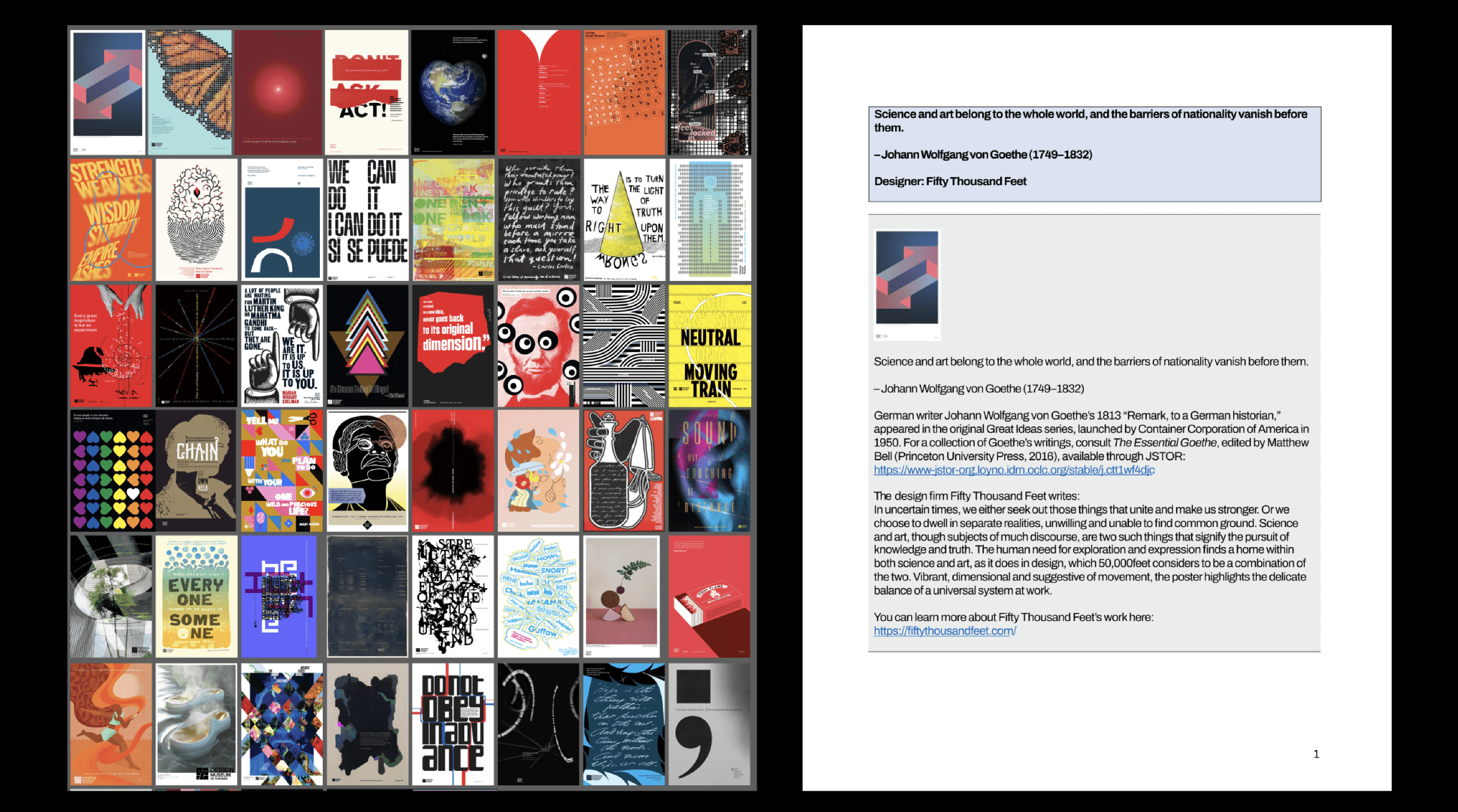
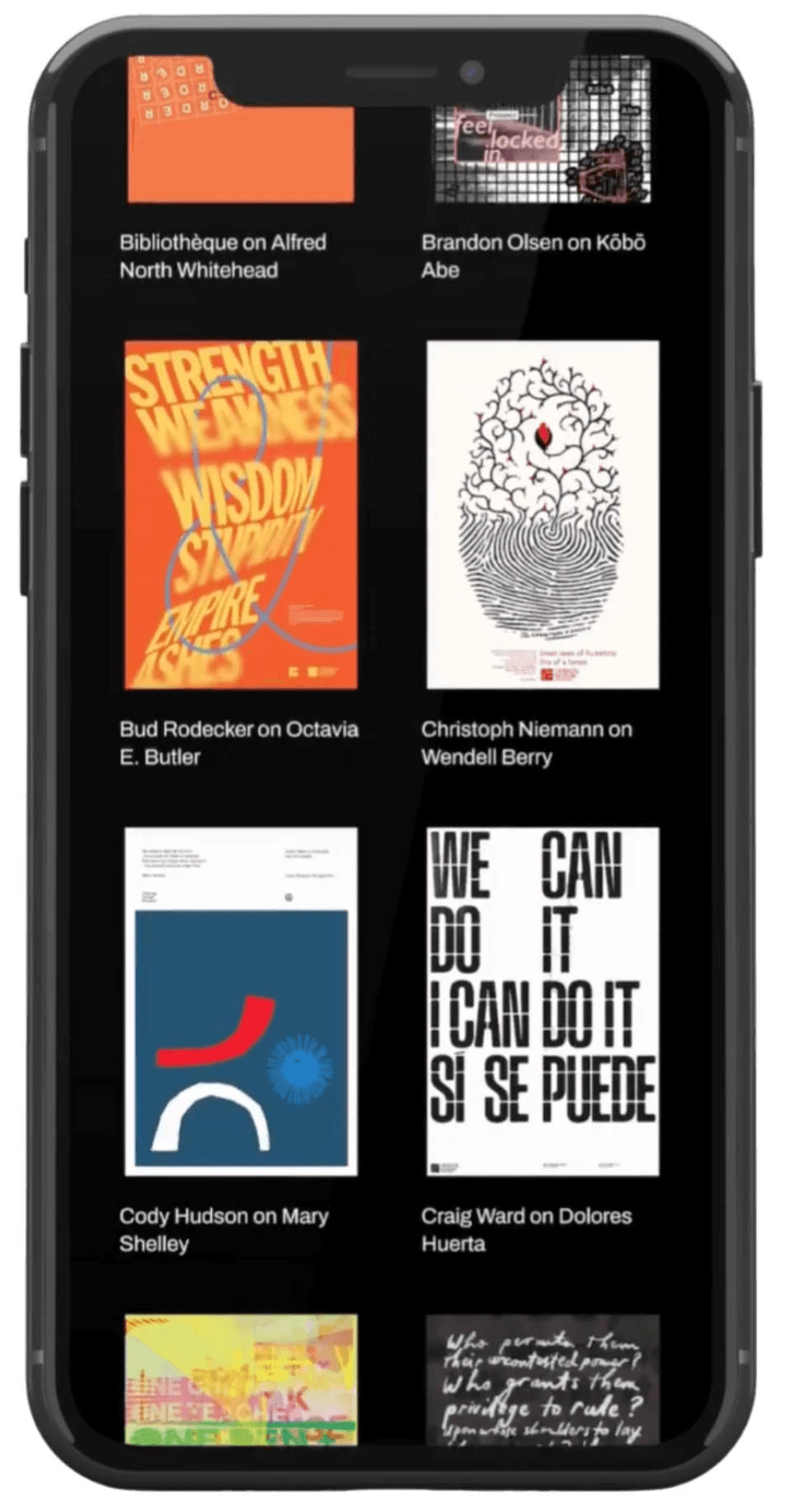
- Gallery: Image-forward with minimal type; scalable for adding more posters.
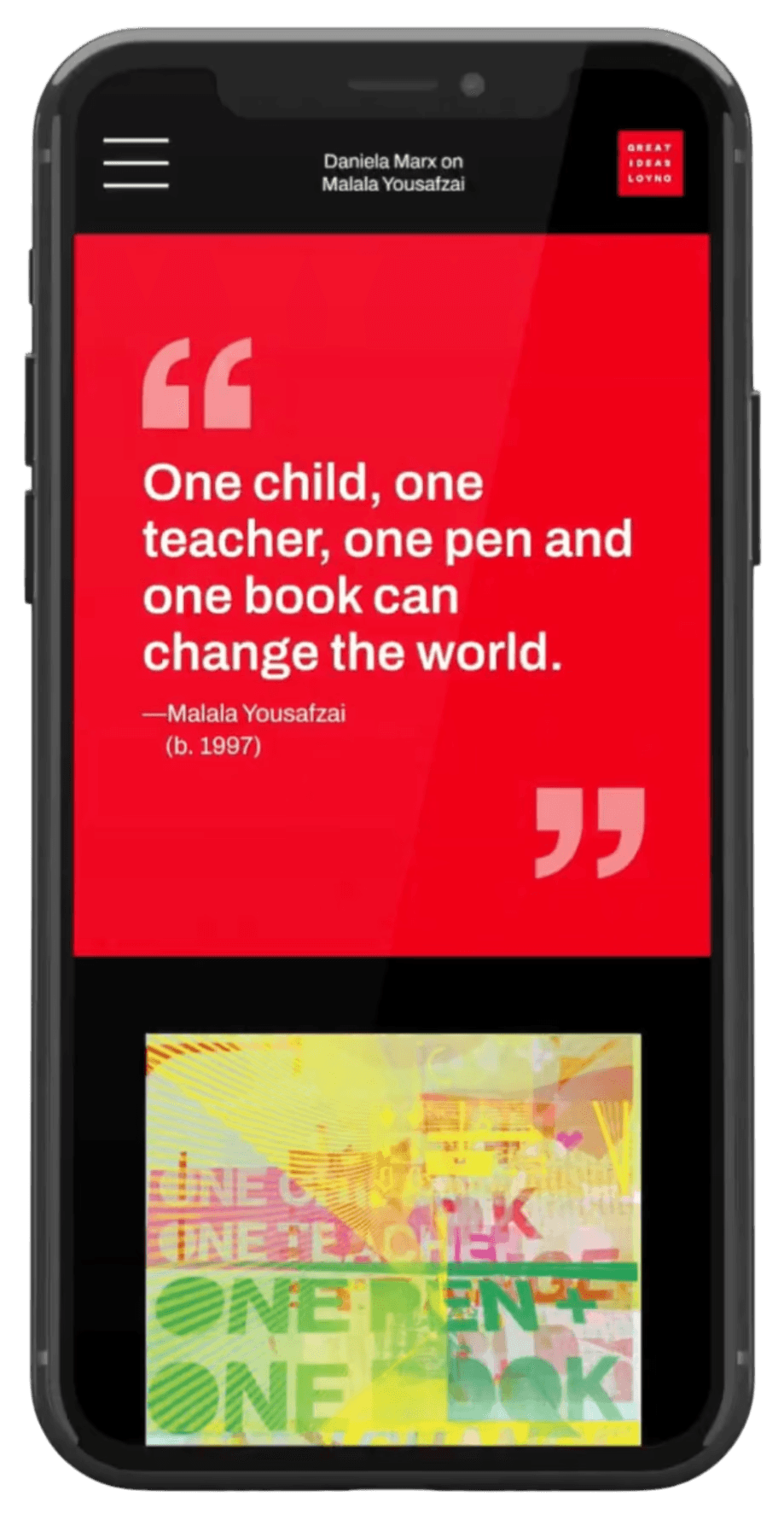
- Quote Thumbnail: Displays full quotes to encourage further scrolling.
- Integrated Content: Connects contemporary designers with historic philosophers.
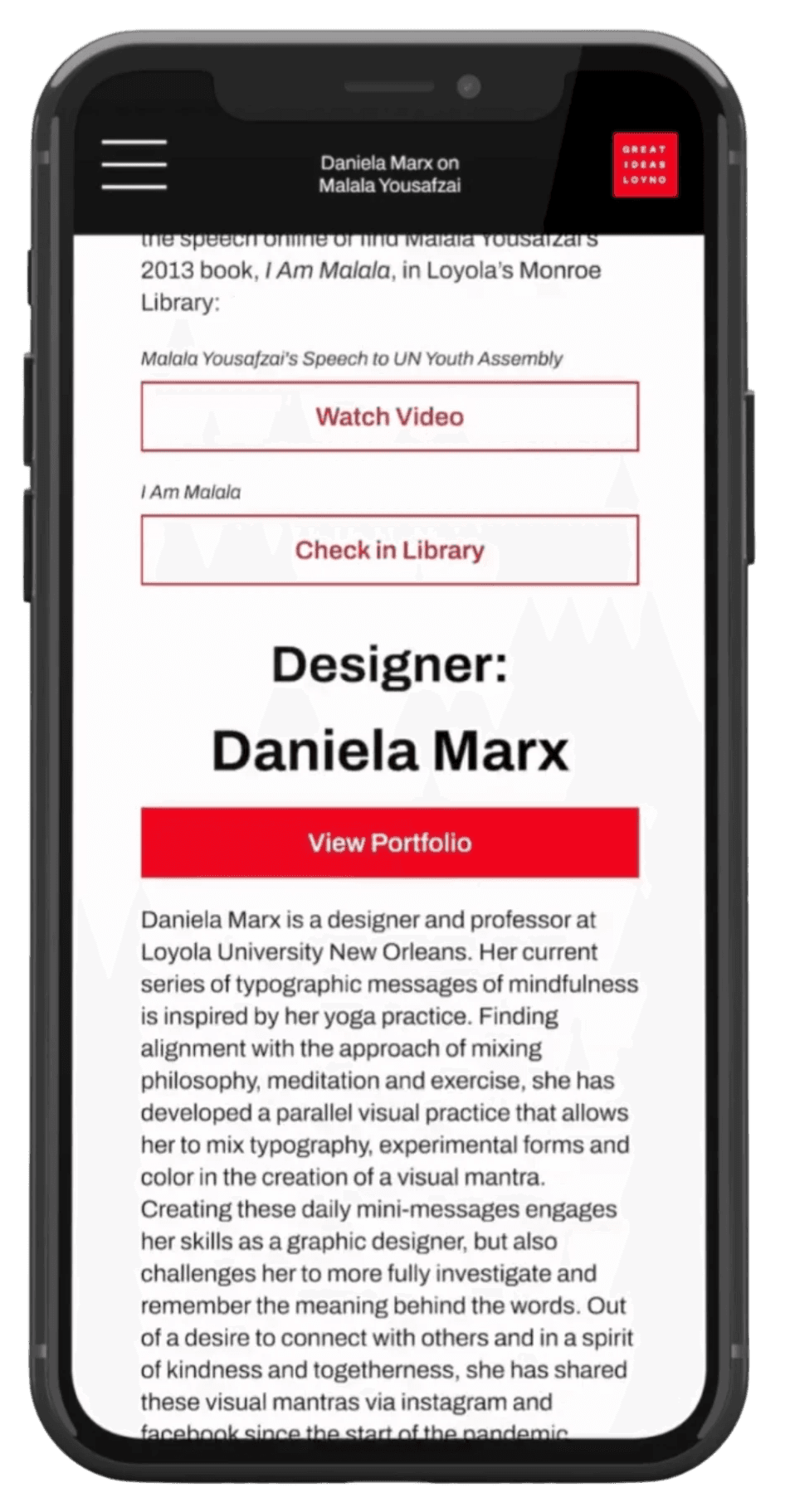
- Interactive Buttons: Offer easy access to additional designer and philosopher information.
Key Features
- Gallery: Image-forward with minimal type; scalable for adding more posters.
- Quote Thumbnail: Displays full quotes to encourage further scrolling.
- Integrated Content: Connects contemporary designers with historic philosophers.
- Interactive Buttons: Offer easy access to additional designer and philosopher information.
Key Features
- Gallery: Image-forward with minimal type; scalable for adding more posters.
- Quote Thumbnail: Displays full quotes to encourage further scrolling.
- Integrated Content: Connects contemporary designers with historic philosophers.
- Interactive Buttons: Offer easy access to additional designer and philosopher information.
WHAT MAKES IT BETTER THAN OTHERS?
WHAT MAKES IT BETTER THAN OTHERS?
WHAT MAKES IT BETTER THAN
OTHERS?
Here’s what makes our design an even stronger addition to the exhibit:
LASTING IMPRESSION:
Our screens encourage visitors to carry the posters’ ideas beyond the gallery. Whether they revisit quotes or check out the authors’ books, they can reflect on the exhibition’s concepts on their own time.
SCALABLE:
Thanks to a flexible component system, the layout is easy to update and expand. This template could grow into a larger interactive gallery or even a digital museum experience.
CREDIBILITY:
By showcasing designers and their creative process, we reinforce the value of their work—especially important at a time when AI-generated art is widespread—bringing visibility and credibility to the human effort behind each design.
Here’s what makes our design an even stronger addition to the exhibit:
LASTING IMPRESSION:
Our screens encourage visitors to carry the posters’ ideas beyond the gallery. Whether they revisit quotes or check out the authors’ books, they can reflect on the exhibition’s concepts on their own time.
SCALABLE:
Thanks to a flexible component system, the layout is easy to update and expand. This template could grow into a larger interactive gallery or even a digital museum experience.
CREDIBILITY:
By showcasing designers and their creative process, we reinforce the value of their work—especially important at a time when AI-generated art is widespread—bringing visibility and credibility to the human effort behind each design.
Here’s what makes our design an even stronger addition to the exhibit:
LASTING IMPRESSION:
Our screens encourage visitors to carry the posters’ ideas beyond the gallery. Whether they revisit quotes or check out the authors’ books, they can reflect on the exhibition’s concepts on their own time.
SCALABLE:
Thanks to a flexible component system, the layout is easy to update and expand. This template could grow into a larger interactive gallery or even a digital museum experience.
CREDIBILITY:
By showcasing designers and their creative process, we reinforce the value of their work—especially important at a time when AI-generated art is widespread—bringing visibility and credibility to the human effort behind each design.
TRY IT FOR YOURSELF, SCAN THE QR CODE
TRY IT FOR YOURSELF, SCAN THE QR CODE
TRY IT FOR YOURSELF,
SCAN THE QR CODE
CHECK OUT THESE OTHER PROJECTS

Meet Me

DOWNLOAD RESUME